How do I force users to use uReset to set their password?
This method is particularly beneficial if you want to guide users through the Reset Password experience from the lock screen. It allows organizations to train users on a single, consistent password reset workflow across different scenarios while taking advantage of key benefits such as real-time breached password checks, immediate credential validation, updated cached credentials, and an improved overall user experience.
- Prerequisites
- You are using all auto enrolled/Admin enrolled methods for users to authenticate
- On prem or hybrid joined machines
- Specops Client ADMX
- CtrlAltDel.admx from Microsoft
Configure Specops Clients using ADMX template
For clients who do regularly connect to the corporate LAN or VPN, we recommend using the Specops Client ADMX template to configure these settings. You can follow the instructions here: https://specopssoft.com/knowledge-base/specops-authentication-client/where-do-i-get-the-admx-templates/
Setup the offline link for Reset Password
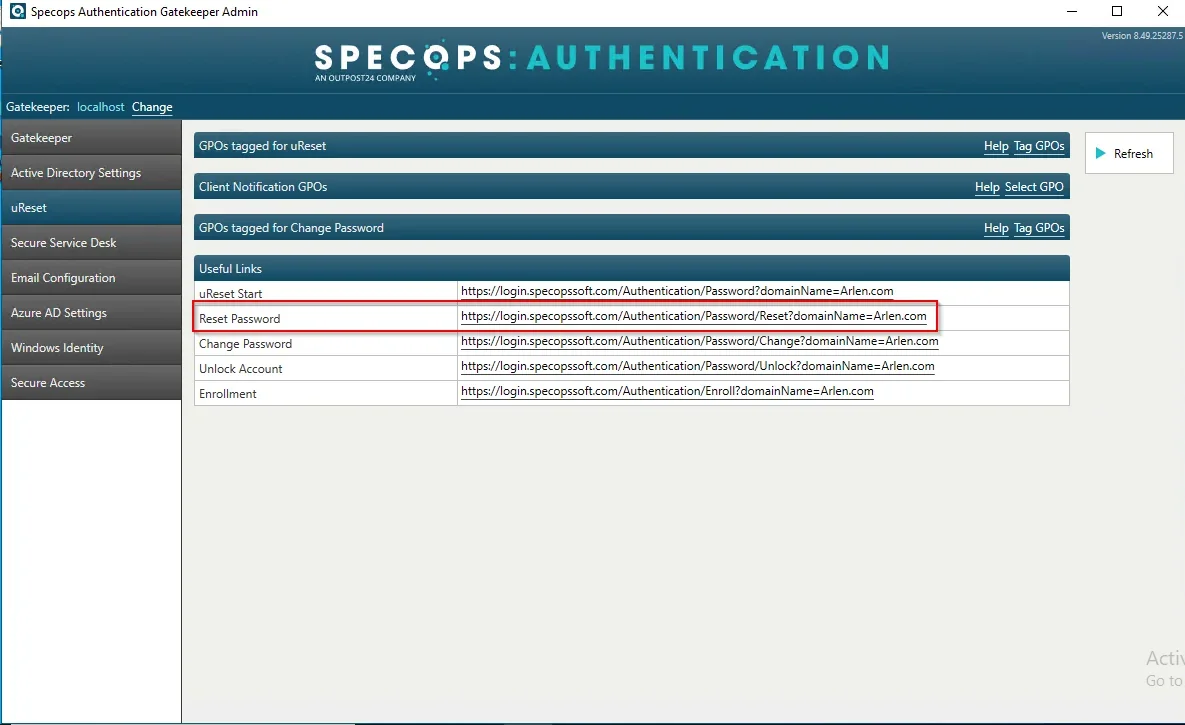
Launch Specops Authentication Gatekeeper Administration from the start menu on your Gatekeeper server. Choose the uReset tab on the left. Under the URLs in this section, identify and right-click the Reset Password URL again storing it to a temporary location:
Configuring Settings
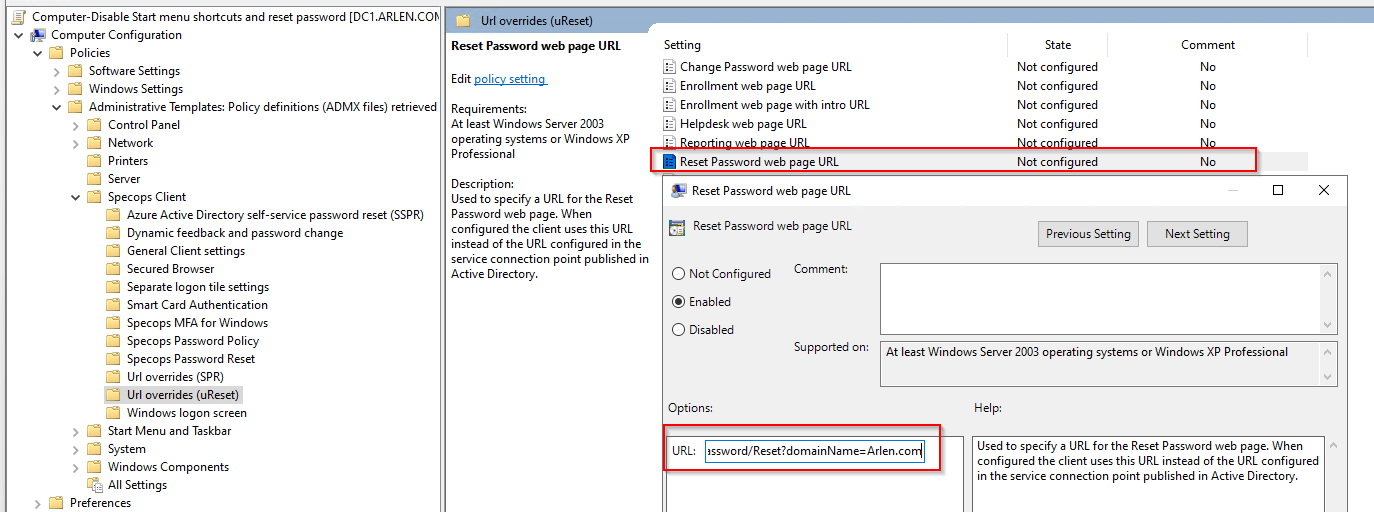
Under Computer Configuration/Policies/Administrative Templates/Specops Client/Url Overrides (uReset):
Set the Reset Password web page URL to Enabled and set the URL option to the Reset Password link identified earlier.
Disabling Start Menu Shortcuts
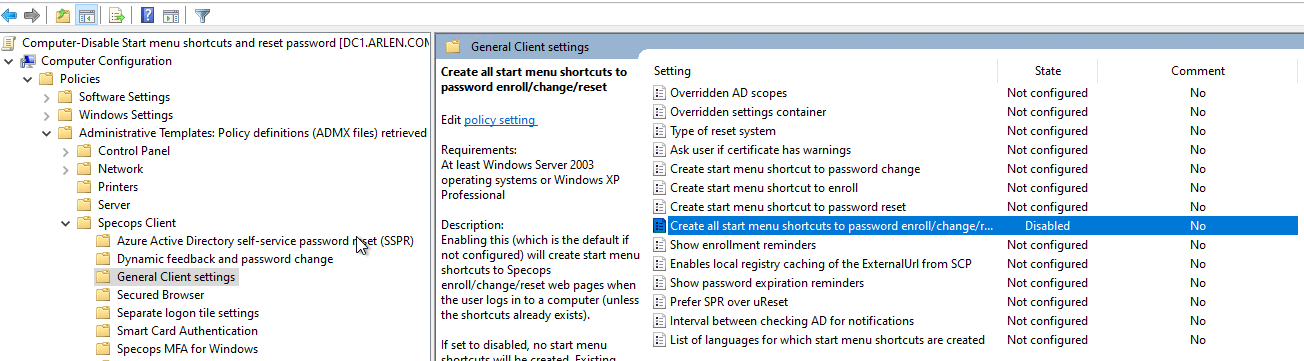
In the same group policy navigate to Computer Configuration/Policies/Administrative Templates/Specops Client/General Client settings set Create all start menu shortcuts to password enroll/change/reset to disabled:
Disabling Change Password from Ctrl+Alt+Delete menu
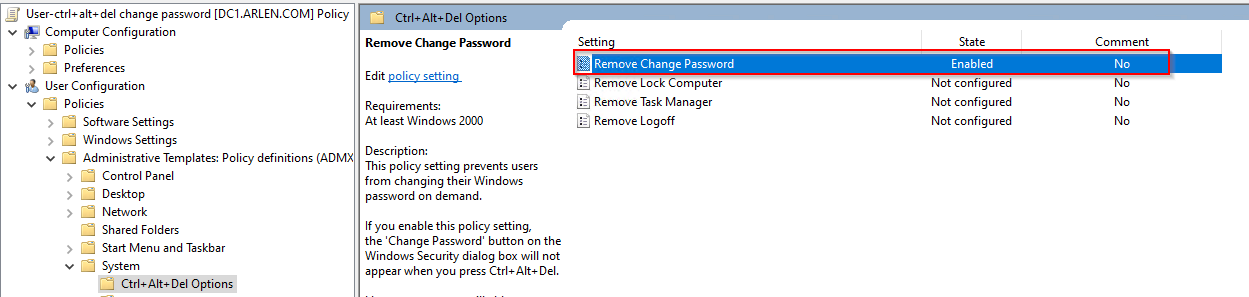
In a separate group policy for Users, navigate to User Configuration/Policies/Administrative Templates/System/Ctrl+Alt+Del Options. Under this Section, You will Enable the Remove Change Password Option